Customer
Invoice History Reports
The
Customer Invoice History Reports Screen
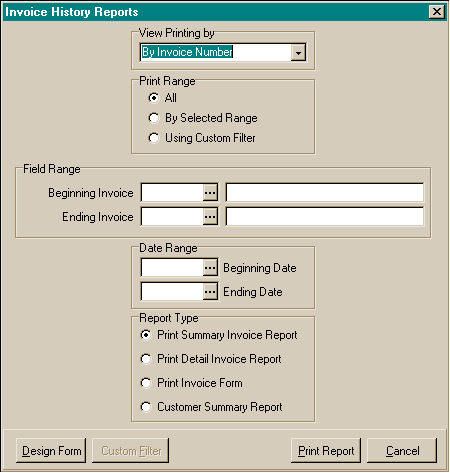
To preview
/ print the Customer Invoice History reports:
- From the Document History menu, choose Customer Invoice History
Reports.
- Choose the View By option for how the reports will be ordered. The options
are:
- By Invoice Number
- By Invoice Date
- By Billing Number
- By Billing Name
- By Technician
- Choose the print range. The options are:
- All
- By selected range. If by selected range, you may choose the beginning
and ending for the report, including the beginning and ending dates.
- Custom Filter
- Choose which report you wish to print. The options are:
- Summary Invoice Report
- Detailed Invoice Report
- Detailed Cost Report
- Invoice Form
- Customer Summary Report
- Choose the Print Report button.
- The print preview window will appear. Use the page view buttons to size
the previewed report, and the page navigator buttons to scroll forward and
backward thru the report pages.
- To send to the printer, click on the Printer Speed Button at the top left
of the print preview screen.
- The printer dialog box will appear. Make any changes necessary. You may
change the number of copies, page range, and the designated printer.
- Choose the Ok button to send the report to the printer.
- Choose the Close button to end the print preview.